Two critical PHP vulnerabilities: what you need to do now
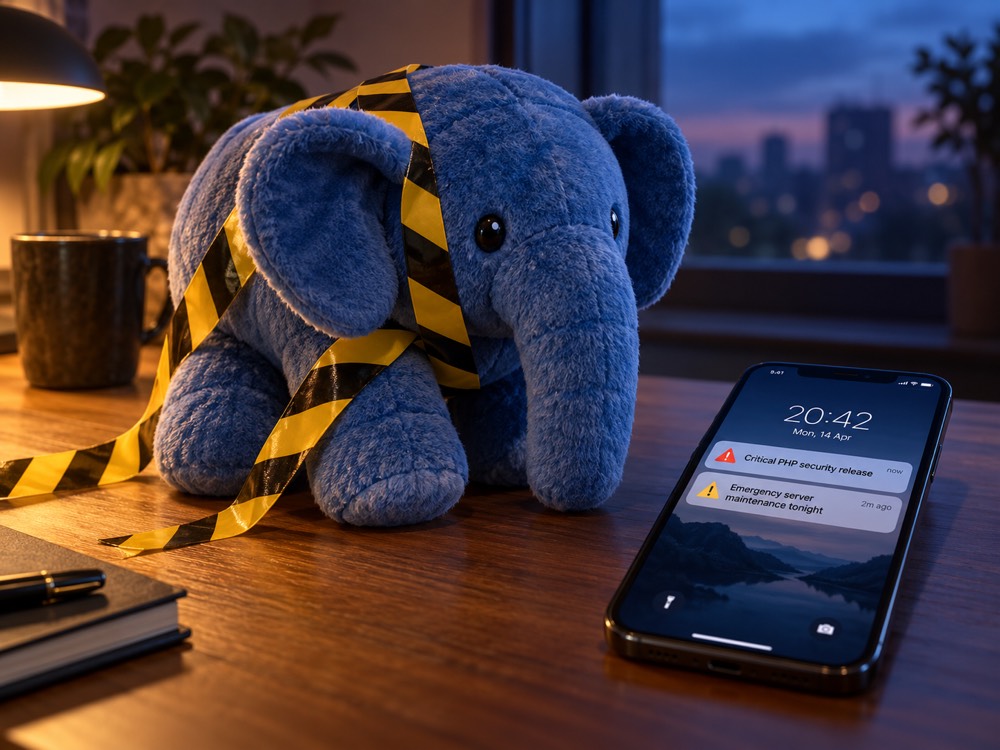
Last updated: 21 October 2026, 08:30 UTC. The official details are due at 14:00 UTC today. I'll update this post as soon as they're out, so check back this afternoon.
On 20 October, the PHP security team did something it rarely does: it gave public advance notice of an emergency security release. Two critical vulnerabilities, both rated 9.2 out of 10 for severity, will be fixed in a release scheduled for Wednesday, 21 October 2026 at 14:00 UTC. PHP powers most of the web, including every WordPress, Drupal, Magento and Craft CMS website, and web applications built with Laravel or Symfony, so if you own a website, there's a good chance this affects you.
The announcement came after details of the flaws leaked online before the fixes were ready. Since then, a lot of rumours have been circulating on X, Reddit and security blogs. This post separates what's confirmed from what isn't, and explains what you should do today, especially if your site is running an old version of PHP.
What we know for certain
These points come directly from the official PHP announcement:
- There are two critical vulnerabilities in PHP itself, not in a plugin or a framework. Both are rated CVSS v4.0 9.2, which is in the "critical" range.
- The fix is scheduled for 21 October 2026 at 14:00 UTC. PHP has said it might release earlier if details become public or if attackers start exploiting the flaws.
- Affected and fixed versions will only be published with the release. Until then, nobody outside the PHP security team can say exactly which versions are vulnerable.
- PHP's advice is to "prepare now" so you can update as soon as the release is available.
Normally, PHP security fixes appear quietly in a regular update with no warning. A public heads-up like this one is unusual, and it's a sign that the PHP team takes these two issues very seriously.
What's being reported, but isn't confirmed yet
Security researchers and news sites have shared more details. Some of them might turn out to be wrong, so treat everything in this section as unconfirmed until the official release:
- The CVE numbers. The flaws are widely reported as CVE-2026-109618 and CVE-2026-109619, and researchers have nicknamed the pair "php2shell". PHP hasn't confirmed these identifiers yet.
- Remote code execution. Reports describe both flaws as letting an attacker run their own code on your server, without needing to log in. That's the worst kind of web vulnerability: it can mean stolen customer data, a defaced site, malware served to your visitors, or your server being used to attack others.
- A leak, and one reproduced exploit. According to Huntress, details first appeared in a Hacker News post on the morning of 20 October that was quickly removed, but screenshots spread on social media. The security firm watchTowr says it has reproduced one of the two flaws.
- An official European warning. CERT-EU, the cybersecurity service for the EU institutions, has published an advisory about both flaws. It describes them as potentially allowing remote code execution without logging in, notes that no technical details have been made public, and advises organisations to prepare for immediate patching.
- Old versions might be affected. Several reports suggest the flaws go back many years, possibly as far as PHP 5. If that's true, a very large number of older sites are in scope.
- A higher severity score. Some posts mention a score of 10.0. The official rating is 9.2, which is still critical.
There's one piece of good news: as of the time of writing, neither Huntress nor watchTowr has seen these flaws being exploited in the wild. That might change quickly once the full details are public. The e-commerce security firm Sansec expects mass exploitation to start within minutes of the patch being released, because attackers can study the fix to work out how the flaws work and then scan the internet for sites that haven't updated yet.
Why sites on PHP 7 or older are in a difficult position
This is the part that matters most if your site hasn't been upgraded in a while.
PHP only fixes security issues in versions that are still supported. Right now, those are PHP 8.2, 8.3, 8.4 and 8.5. Everything older has reached end of life:
- PHP 7.4 stopped receiving security fixes in November 2022, and every PHP 7 version before it even earlier.
- PHP 8.0 reached end of life in November 2023.
- PHP 8.1 reached end of life at the end of December 2025.
If the reports are right and these flaws affect older versions too, no official fix is expected for PHP 7, 8.0 or 8.1. Some Linux distributions and hosting providers maintain their own patched builds of older PHP versions, and they might backport the fix, but you shouldn't count on that unless your provider has confirmed it in writing.
For anything that can't be patched straight away, CERT-EU recommends isolating internet-facing applications from public networks until a fix can be applied. In practice, that might mean restricting access to a staging site or internal tool so it's only reachable from your office or over a VPN. For a public website it's a much harder call, which is why a supported PHP version is the only real long-term fix.
I covered the wider risk of running an outdated version in PHP 8.0 and 8.1 are end of life. Until now, that risk was mostly theoretical. With two critical, publicly discussed vulnerabilities and no patch coming for old versions, it might become very real for many businesses over the coming weeks.
What to do today
You don't need to be a developer to get started. Here's what I'd recommend, in this order:
- Find out which PHP version your site runs. Most hosting control panels (cPanel, Plesk, Laravel Forge and similar) show it on the main dashboard or under a "PHP version" setting. On WordPress, go to Tools → Site Health → Info → Server. Write the version down.
- Find out who applies updates. If you're on managed or shared hosting, your provider usually updates PHP for you. Contact them and ask when they plan to install today's release. If you have your own server or a developer manages it, make sure someone is ready to apply the update this afternoon.
- Check every place PHP runs. It's not only your main website. Staging sites, old microsites, internal tools, and forgotten installs on the same server can all be entry points.
- Take a fresh backup of your files and database before anything changes, and make sure it's stored somewhere other than the server itself.
- If you're on PHP 8.2 to 8.5, install the update as soon as it's released. This is a routine minor update, and it's the single most important thing you can do.
- If you're on PHP 7.x, 8.0 or 8.1, start planning an upgrade to a supported version now. In the meantime, ask your developer or host about temporary protections, such as a web application firewall rule or switching off the specific PHP features involved once they're known. These reduce the risk, but they're not a replacement for a supported version.
- Watch for warning signs over the next few weeks: unfamiliar admin users, new files you didn't upload, unexpected redirects, a sudden spike in server load, or your hosting provider flagging malware. If anything looks wrong, my emergency PHP checklist explains what to do first without making things worse.
Why "just switch the PHP version" isn't a quick fix for old sites
If you're on PHP 7, it's tempting to go into your hosting panel and select PHP 8.5. Please don't do that on a live site without testing first. Sites written for PHP 7 often rely on behaviour that has changed or been removed in PHP 8, and a plugin or library that hasn't been updated in years might stop working entirely. The usual result is a blank page or a broken checkout, which is the last thing you need while trying to deal with a security problem.
A safe upgrade means checking the code and its dependencies against the new version, fixing what's incompatible, testing on a copy of the site, and only then switching over the live site with a way to roll back. It's routine work when it's done in the right order, and it's the only lasting fix for a site that's stuck on an unsupported version.
Not sure if your site is exposed?
These are two of the most serious PHP vulnerabilities in years, and websites and web applications on old versions might not get an official fix at all. PHPFixer can help you with both sides of the problem, starting today:
1. Upgrade from PHP 7 (or 8.0 and 8.1) to PHP 8.5. I'll check your code and dependencies, fix everything that's incompatible, test the upgrade on a copy of your site, and move you to PHP 8.5, the newest supported version, with a fixed quote before any work starts.
2. Check your servers and keep them patched. I can help you identify if your website is affected and check the PHP versions running on your server. Then I'll apply today's security update and any follow-up patches as they're released, and keep an eye out for signs of compromise.
Book a short call and I'll tell you where you stand, free of charge.
Book a free security check