PHP 8.0 and 8.1 are end of life: why you should upgrade now
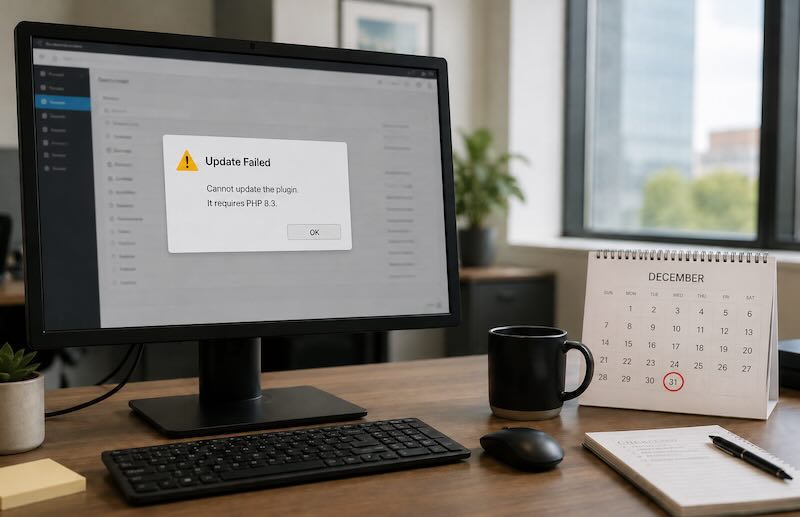
If your website runs on PHP 8.0 or 8.1, it is now running on an unsupported version of PHP. PHP 8.0 stopped receiving security fixes in November 2023, and PHP 8.1 followed at the end of December 2025. That doesn't mean your site stopped working. It's probably running exactly as it did last year. But nobody is patching the engine underneath it anymore, and that's a slow-burning problem worth understanding properly.
PHP is open source: the language your site runs on is maintained by a community that keeps evolving the code, and that effort only covers current versions, so keeping up with it is simply part of the deal of building on it. A website is never "done" the day it goes live. Recurring maintenance is a normal part of the lifecycle of any web project, and PHP upgrades are a standard part of that ongoing care.
This post covers what "end of life" actually means in practice, why the upgrade is worth doing sooner rather than later, the things that genuinely make it harder than "just change the PHP version", and how I approach it for client sites.
What end of life actually means
Every PHP version follows the same lifecycle: around two years of active support with bug fixes and improvements, then a security-only period, and then nothing. Once a version reaches end of life:
- Security vulnerabilities are no longer fixed. If a flaw is discovered in PHP 8.1 tomorrow, there will be no official patch, even if it's critical. Attackers know this, which is why unsupported versions become more attractive targets over time, not less.
- Your hosting provider will force the issue, one way or another. Some hosts retire old PHP versions with a few weeks' notice, which means upgrading on a deadline you didn't choose. Others keep end-of-life versions available but charge an extra monthly "extended support" fee for them. If your site can't run on a newer version without changes, you're stuck paying that surcharge until someone does the upgrade work, so doing nothing can quietly cost more than doing it properly.
- The ecosystem moves on without you. New releases of frameworks, plugins, and packages drop support for old PHP versions quickly. The longer you wait, the fewer compatible and secure versions of your site's building blocks exist.
- Compliance can be affected. If you take card payments, PCI DSS expects supported, patched software. "Our platform is end of life but it still works" is not a sentence you want to write in a security questionnaire.
The important nuance: an end-of-life site isn't broken and doesn't need panic or a rebuild. It needs a planned upgrade, ideally before something else forces the timing.
Why upgrading is worth it (beyond security)
Security is the headline reason, but it's not the only one:
- Performance. Each PHP release since 8.0 has brought measurable speed improvements. Sites often get faster after an upgrade without touching a single line of application code, which can also mean lower server bills for busy sites.
- Access to maintained software. Modern versions of plugins, themes, and packages assume modern PHP. Staying current keeps your options open when you need to add or fix something.
- Cheaper future upgrades. The work adds up with every version you skip. Going from 8.1 to 8.3 today is a modest, well-documented step. Waiting a few more years and jumping many versions at once might turn the same work into a much bigger and more expensive job.
- Easier to get help. Developers increasingly won't touch outdated stacks, or will charge a premium for them. Keeping current keeps your maintenance costs normal.
What makes the upgrade harder than it looks
Changing the PHP version in your hosting panel takes thirty seconds. Whether your site still works afterwards is a different question. These are the things that actually cause trouble:
Small behaviour changes. Each new PHP version changes small details in how the language behaves. Code written years ago can rely on those details without anyone knowing. The site looks fine after the switch, and then a specific action, like submitting an order form, hits one of those changes and fails.
Old coding patterns stop being tolerated. PHP marks outdated patterns as "deprecated" before removing them: they still work today, with a warning, and become errors in a later version. Older sites and plugins tend to use these patterns heavily, so this kind of debt builds up silently until an upgrade brings it to the surface.
Everything has its own compatibility requirements. Your website isn't just PHP. WordPress or your framework, the theme, every plugin and add-on package each support their own range of PHP versions. Sometimes you can't move to a newer PHP without upgrading some of those first, and the least-maintained plugin sets the pace for the whole site.
Abandoned components. Almost every site more than a few years old relies on at least one component whose author stopped maintaining it. When it breaks on a new PHP version, it has to be replaced, swapped for a maintained alternative, or patched by hand. This is where most of the real upgrade work usually hides, and it's invisible until someone looks.
No safety net. Upgrades rarely go wrong because of PHP itself. They go wrong because there was no test copy of the site, no error monitoring, and no way to roll back, so the first time anyone saw a problem was on the live site, and the fix happened under pressure. If that describes your setup, the safety net is the first thing to build, not the last.
How I approach an upgrade
This is the process I use on client sites, whether it's a WordPress site or a large Laravel application:
- Inventory first. What PHP version, what framework and plugin versions, and which components are abandoned. Most surprises can be found before they happen.
- Scan, don't guess. Compatibility scanning tools check the entire codebase against the target PHP version and list everything that needs changing, without touching the live site. This turns "hopefully it works" into an actual to-do list, and it's how I can give a fixed quote instead of an open-ended estimate.
- Dependencies before PHP. Update plugins, packages, and the framework to versions that support both your current and your target PHP version first. Then the PHP switch itself becomes a small step instead of a leap.
- One version at a time. 8.1 to 8.2 to 8.3, checking logs at each step, rather than one big jump. Each hop has well-documented changes, and tools like Rector can automate many of the mechanical code updates between versions, keeping the manual work focused on the genuinely tricky parts.
- Staging, logs, then production. Test the upgrade on a copy of the site, watch the error logs, and only then schedule the production switch, with a tested way to roll back if anything unexpected appears.
- A monitoring window after go-live. Some issues only appear under real traffic, or when that one monthly scheduled job runs. The upgrade isn't finished the moment the version number changes.
This is routine work when it's done in the right order. It's the difference between an upgrade that takes a planned day or two and one that turns into an emergency weekend.
A warning if you're on PHP 8.2
If you upgraded to 8.2 a while ago and feel safe: PHP 8.2's security support ends on 31 December 2026, only a few months from now. If you're planning an upgrade this year, don't make 8.2 the destination, because you'd be arriving on a platform that's about to reach end of life itself. Target PHP 8.3 (supported until the end of 2027) or 8.4 (until the end of 2028) and buy yourself actual breathing room.
Thinking about upgrading?
I'll flag anything that would block an upgrade and give you a fixed quote before any work starts.
Get a free upgrade assessment